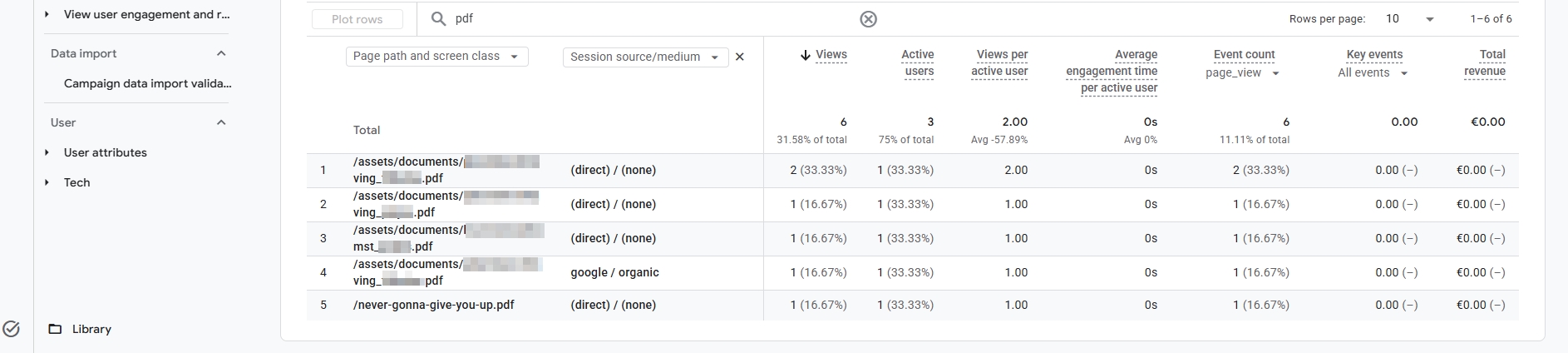
If you’ve done a lot of GA4 tracking, you know the rule: you don’t get a pageview for a PDF the way you do for a normal web page. A PDF isn’t HTML, and it can’t run JavaScript. And JavaScript is the crucial ingredient for GA4 tracking (usually).
I’ve been toying with this idea for years: what if I tracked PDF views server-side, at the moment the file is requested? My gut feeling was that the GA4 **Measurement Protocol** could do it. With some vibe coding, it worked. But I ran into caveats I hadn’t thought of. This post is the story of how it came together.
ℹ️ Disclaimer: This was purely an experiment I did for fun. The effort that goes into this likely doesn't outweigh a simple Enhanced Measurement approach in GA4 that registers PDF link clicks. The only drawback in a standard GA4 setup: It requires someone clicking the link. It doesn't track direct visits. That's where this approach has value. But, in a real business, ask yourself first whether your PDFs bring in enough traffic to justify the technical effort. For most sites, the answer is probably "no".
The test subject
The guinea pig is a small site I have for experimentation. It has a handful of PDFs (rental contracts and check-in reports). GA4’s Enhanced Measurement already fires a file_download event when someone clicks a PDF link on the site.
That leaves a gap: someone who finds a PDF straight in Google and opens it never touches a page of my site. No click on my page, no JavaScript, no data. And if the visitor clicks a link to a webpage as the next action, I get a GA4 session attributed under ‘Direct’ instead of ‘Organic Search’. Being an SEO, that stings.
Step 1: Catching the request in Apache
My first idea: let Apache spot every .pdf request and hand it to a PHP script. The script serves the PDF as if nothing happened, and sends a hit to GA4 on the side.
</> Apache .htaccess

# PDF tracking: route existing PDF files through tracker

RewriteCond %{REQUEST_FILENAME} -f
RewriteRule ^(.+\.pdf)$ pdf-tracker.php?f=$1 [NC,B,L]
I didn’t use <Files ~ "\.pdf$">. On shared hosting it can’t hand a request to PHP without mod_actions, so a rewrite rule worked for me.
Making it (semi-)asynchronous
The golden rule: a slow or broken GA4 must never slow down the PDF.
Under PHP-FPM, fastcgi_finish_request() sends the complete response to the browser and closes the connection. The script keeps running afterwards and fires the Measurement Protocol request in the background. The visitor already has their PDF and never waits for Google.
Problem 1: The Measurement Protocol wasn’t built for this
First problem I ran into…
The Measurement Protocol is meant to add data about an existing user after the fact, such as a cancelled order or a return in e-commerce. It identifies people with a client_id.
If I just send PDF hits without an ID, GA4 would see a brand-new user in a brand-new session. That would be useless, because you’d lose the channel attribution. The PDF view has to land in the session of the person who visited the site.
Solution: the script reads the GA4 cookies from the PDF request and reuses them:
-
_ga(looks likeGA1.1.123456789.1728123456) gives theclient_id: the last two parts.
_ga_<ID>gives thesession_id.
If there is no _ga yet (say, a first-time visitor from Google), the script makes one up in the right format and also sets it as a cookie, so the visitor’s next page view joins the same user:
</> php

$clientId = PdfVisitorClassifier::parseGaClientId($gaCookie);
if ($clientId === null) {
    $clientId = random_int(1000000000, 2147483647) . '.' . time();
}
Problem 2: Most PDF requests aren’t human
All fine and dandy, until you count every request. Plenty of those requests come from bots: spam bots, search engine crawlers, AI crawlers, SEO spiders. Whether they’re good or bad doesn’t matter. They aren’t people reading my PDFs.
Solution: two layers of defence.
Layer 1: user-agent patterns. Regexes for crawlers, command-line tools (curl, python-requests…) and headless browsers:
</> php

'crawler'  => '/(bot|crawl|spider|slurp|scrape|checker|ahrefs|semrush|mj12|yandex|baidu|...)/i',
'cli'      => '/(curl|wget|python|requests|go-http|java\/|okhttp|axios|scrapy|...)/i',
'headless' => '/(HeadlessChrome|Puppeteer|Playwright|Selenium|PhantomJS|...)/i',
Layer 2: scoring, for the bots that pretend to be Chrome. A user-agent is self-reported, so anyone can fake it. Every request therefore earns points from signals that are harder to fake all at once:
| Signal | Points |
|---|---|
| Browser-like user-agent | +2 |
Existing _ga cookie | +3 |
| Referrer is a search engine | +3 |
| Referrer is internal or social media | +2 |
Sec-Fetch-Mode: navigate | +1 |
Has an Accept-Language header | +1 |
Browser user-agent, but no Accept-Language | -5 |
| Known bot / crawler / CLI tool | -10 |
| Dozens of PDFs per minute from one IP | -3 to -6 |
A request needs 5 points to count. A visitor arriving from Google in Chrome with normal headers lands at about 7. A “Chrome” without an Accept-Language header never gets there, because real browsers always send that header.
</> php

$counted = $score >= $this->config['threshold'];
I even built in an optional Cloudflare signal. CF’s Bot Management gives each request a bot score (1-99, where low means “probably automated”), and “verified bot” flags. You can extract these via a header. It’s switched off, because the site isn’t behind Cloudflare yet, but the hook is there.
A few small surprises along the way
- One view is three requests. My log had three lines for every PDF I opened. Chrome sends two
HEADrequests to probe the file before the realGET. Only theGETcounts now.
- PDF viewers ask for pieces. Browsers sometimes request a file in ranges. Partial range requests, prefetches and reloads within 60 seconds are served but not counted.
- A tracker needs an eye on its own data. Every PDF request, counted or not, gets a line in a log file, so I can see which rules cost me visitors.
- Accidental privacy leak. I noticed this
logs/folder was publicly reachable. Good reminder to block it in.htaccess
Problem 3: Nothing showed up in DebugView
Time to test. I opened a PDF and watched GA4’s DebugView. It showed page_view and file_download from my browser, but nothing from my tracker. The log said "sent":true,"mp_status":204, so Google had accepted the hit.
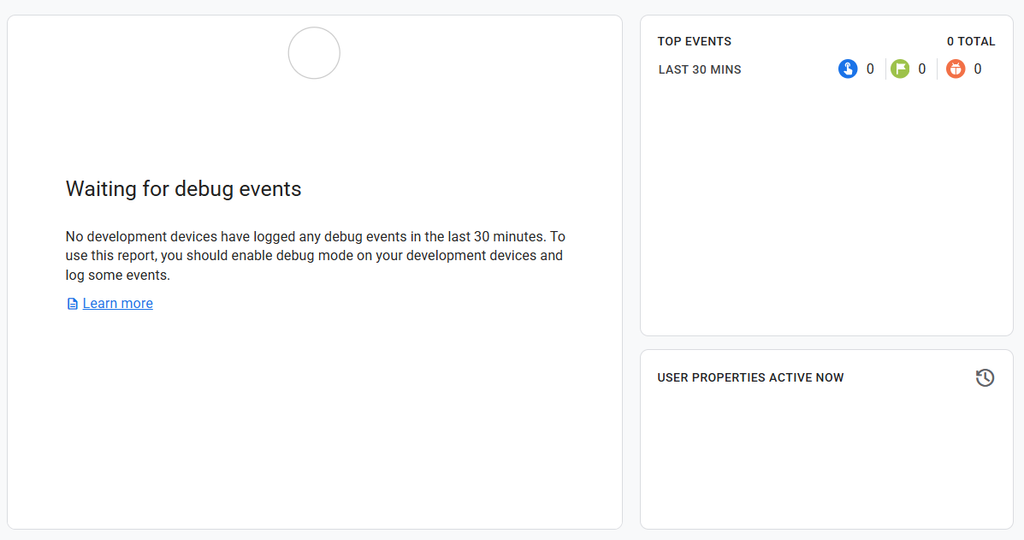
Solution: I’d forgotten something. Events sent through the Measurement Protocol only show up in DebugView if they carry a debug_mode parameter. This is similar to how Google Tag Manager appends ?gtm_debug= to your URL in preview mode.
There’s a second trap. Google also has a separate Measurement Protocol validation endpoint, which only checks the payload and never records anything. I tried both and neither showed my events, so I was staring at an empty screen twice.
</> php

$params = ($debugView ? ['debug_mode' => 1] : []) + [
    'page_location' => $url,
    'page_title'    => basename($path),
    // ...
];
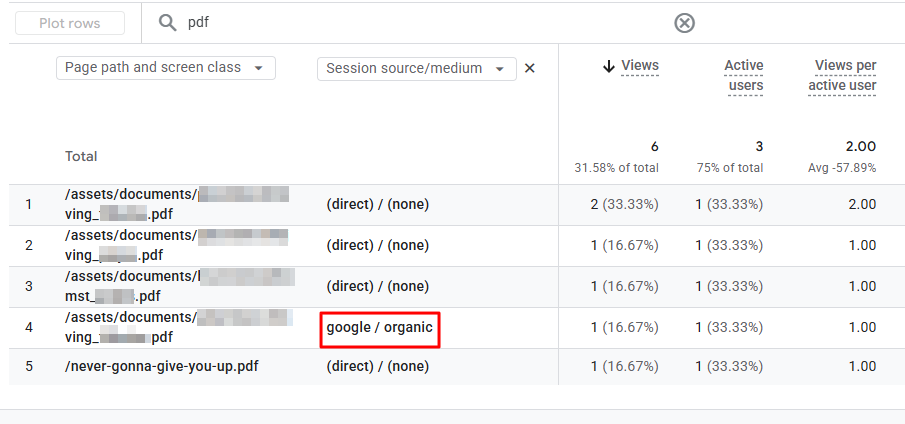
I also changed the event name from the custom pdf_view to page_view. The PDF views now show up with the rest of the pages in the GA4 reports, with the filename as the page title. To distinguish PDFs easily, I gave the pdf page_view event a parameter, which I then made a custom dimension.
Verifying in GA4
I simulated a direct pageview from Google (organic). And I put my script in debugmode so it should enter in GA4’s debugView.
Yay, the page_view hit comes in now! Let’s check if it has the right parameters.
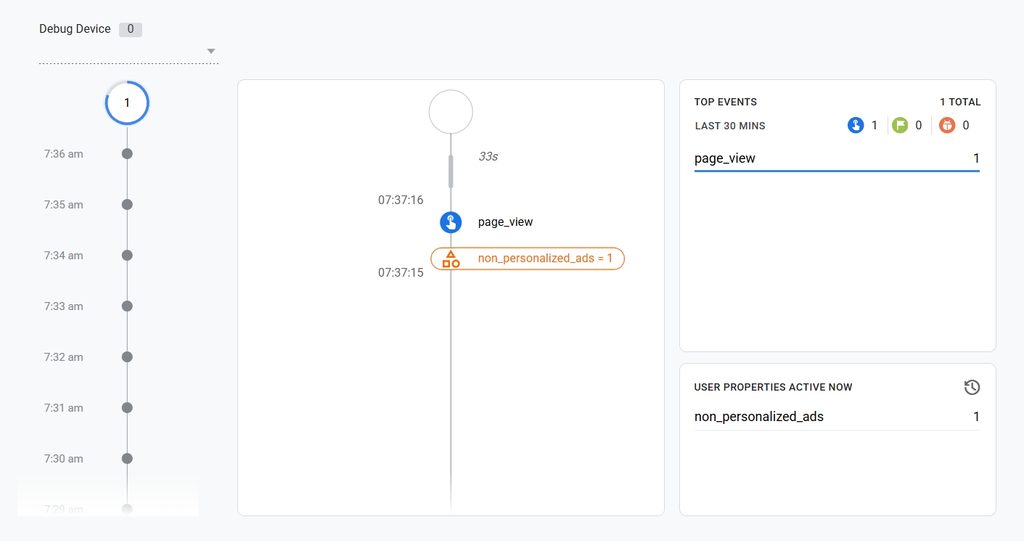
Bingo! The referrer is set to https://www.google.com so it will be attributed to Organic Search (Channel) as google / organic (session source/medium).
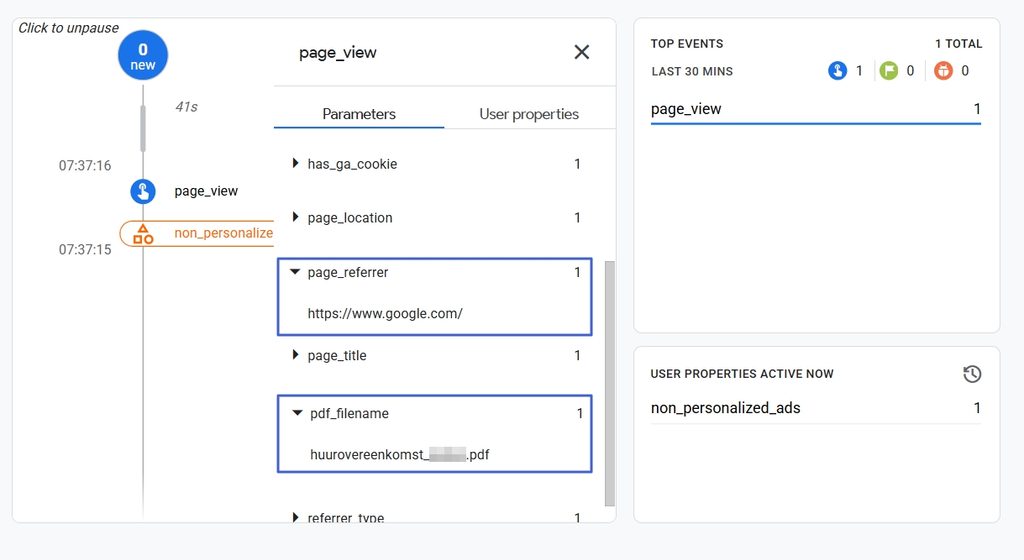
There you have it folks.
Final thoughts
None of this is impossible to overcome, but keep one thing in mind: tracking PDF requests still requires proper tracking consent. My script even sets a _ga cookie for first-time visitors, before any consent banner has had a say. For this fun project, I left consent out of scope. In real life, you’d want to be 100% compliant 🙂